AI teammates that live on your iPhone.
Give each bot a name, a job and a face. Message them like coworkers. Hand them reminders and routines. Nothing you say ever leaves the phone.
Free. No account. Models download once from Hugging Face, then everything runs offline.
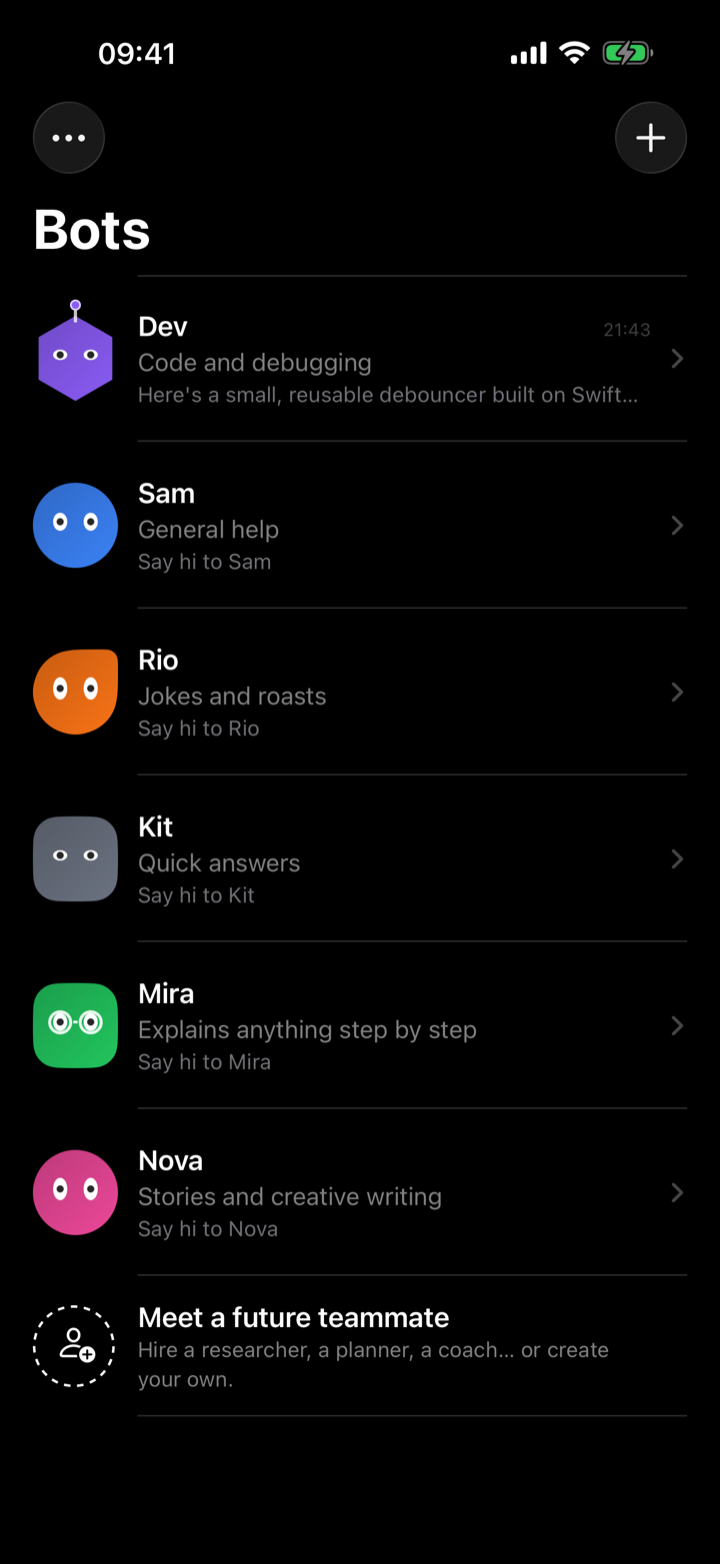
Six teammates on day one. Hire more in a tap.
Every bot has one clear job and its own thread that remembers. Rewrite how any of them works in plain language, or change its face.
Need a specialist? Hire Piper for research, Otto to plan your week, June as a coach, Ada for writing, Lina for languages, Basil for dinner. Or create your own from scratch.
Give a bot a job, then let it report back.
A reminder, or a prompt the bot runs for you. Once, daily or weekly, with the result posted in its thread like a teammate's status update.
Three things worth your time this morning: the new MLX release doubles prefill speed on A19 [1], the Qwen3.5 2B checkpoint landed in mlx-community [2], and your favourite podcast published a fresh episode [3]. Bottom line: update the app dependency this week.
Done. Saturday 10:00–10:45, right after your run.
On time, even with the app closed
Reminders are real iOS notifications scheduled on the device. Close the app, lock the phone, it still fires.
Work the bot does for you
A prompt the bot runs with the local model, optionally after a web search with cited sources. The answer lands in its thread and you get a notification.
iOS does not let apps run a language model in the background, so jobs run as soon as you open the app after their scheduled time. We'd rather say that plainly than pretend.
Nothing leaves your phone.
Not to us, not to a cloud. The model runs on your iPhone's chip with Apple MLX, and your chats stay in the app's private storage.
- 01No account, no analytics, no serverWe do not operate anything that could receive your data.
- 02Works offlineDownload a model once. Airplane mode changes nothing.
- 03DeepSearch is opt-inTurn it on for a message and only that text goes to DuckDuckGo or Wikipedia. Off by default.
- 04Voice stays localDictation and voice chat use Apple's on-device speech engines.
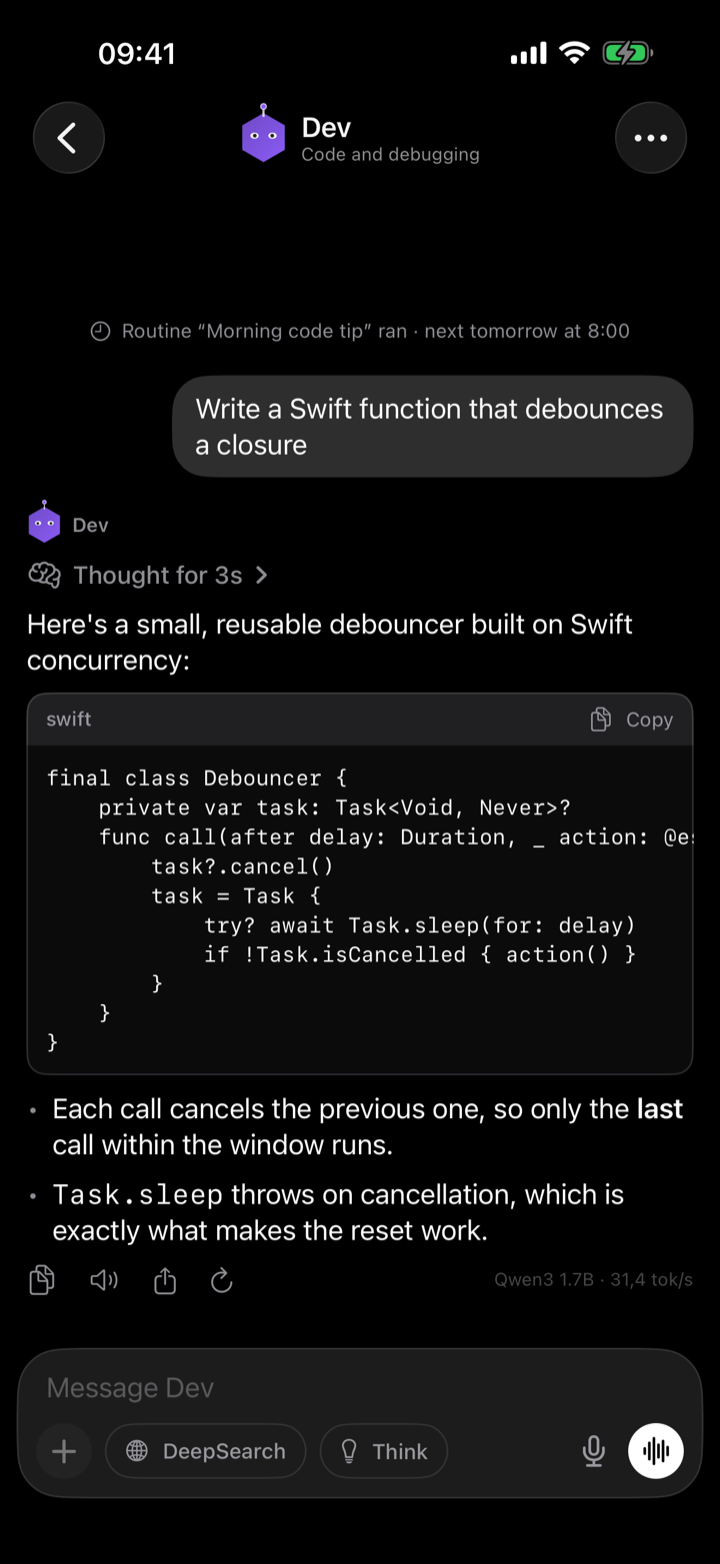
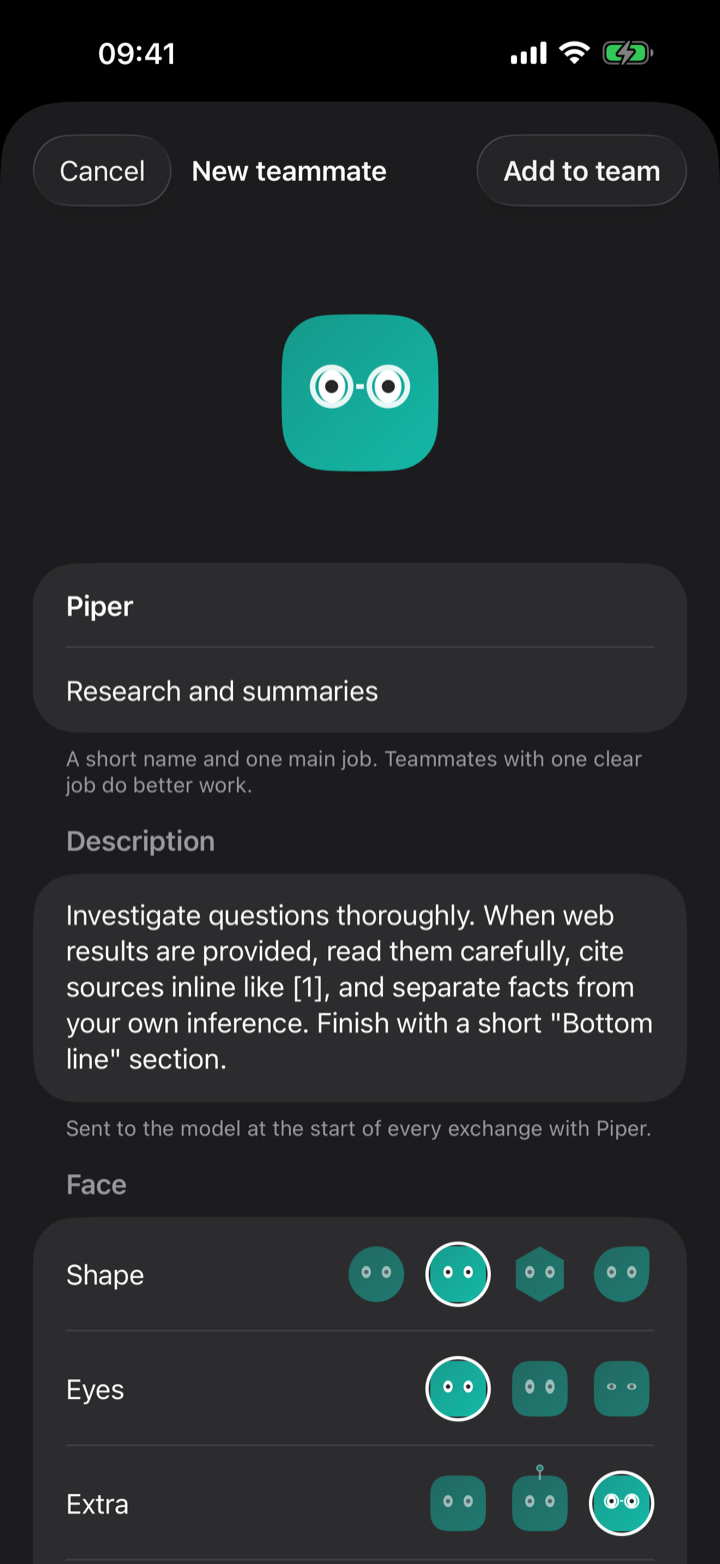
Faces that blink, think and smile.
Each bot's face shows what it's doing: calm when idle, glancing around while it works, a quick smile when the job is done.
- ✦Streaming answersMarkdown, code blocks, copy, share and regenerate.
- ✦Think modeSee the model's reasoning as “Thought for 4s”, collapsed until you want it.
- ✦VisionAttach a photo and ask a vision model about it.
- ✦Voice chatHands-free conversation with any bot, on-device.
Bring your own brain.
One tap downloads an open model from Hugging Face. Or paste any MLX repository and use that instead.
Before you download.
Which iPhone do I need?
Any iPhone running iOS 26.4 or later. Models under 1 GB run on every supported phone. 3–4B models need 6 GB of RAM or more (iPhone 13 Pro and later, iPhone 15 and later).
Is it really free?
Yes. No subscription, no in-app purchases. The models are open weights published by their authors on Hugging Face.
Why don't jobs run while the app is closed?
iOS does not allow apps to run a language model in the background. Reminders are still delivered on time as notifications. Jobs notify you at the scheduled time and run the moment you open the app or tap the notification.
How much space do models take?
From 350 MB for Qwen3 0.6B to about 3 GB for the largest vision models. Delete any model from the library with a swipe.
Can a bot talk to another bot?
Not yet. Today each bot has its own thread and routines. Group threads are on the list.

Your team is waiting.
localBots is coming to the App Store. It runs on iPhone with iOS 26.4 or later.
Coming soon on the App Store